Sillytavern Preset Comparison Tool: Introducing PresetLab
The Curse of Knowing Just Enough
SillyTavern presets. The lifeline. Unfortunately, there’s really no clean way to “do” a SillyTavern preset comparison. It’s made more difficult by the fact that you can’t really see output side-by-side, so you’d have to swap around and mess around just to see the output a preset can give you. On top of that, the good community presets are often discussed, but that leaves little spotlight for the other smaller presets the community worked hard on. Those get little to no discussion.
With no quick, braindead way to see the contents of a preset, no way to run the same prompt through two presets at once, no central list for presets, I decided to try something out. So I made PresetLab.
What PresetLab Is
PresetLab is the second tool on rpfiend.com, alongside The Grimoire. The Grimoire handles character creation. PresetLab handles, well..SillyTavern preset comparison. Breaking down that layer that decides how those characters actually behave on a given model.
Your presets never leave your machine. Your OpenRouter key never leaves your machine. Privacy focused. I’m allergic to having it any other way.
The Three Tools
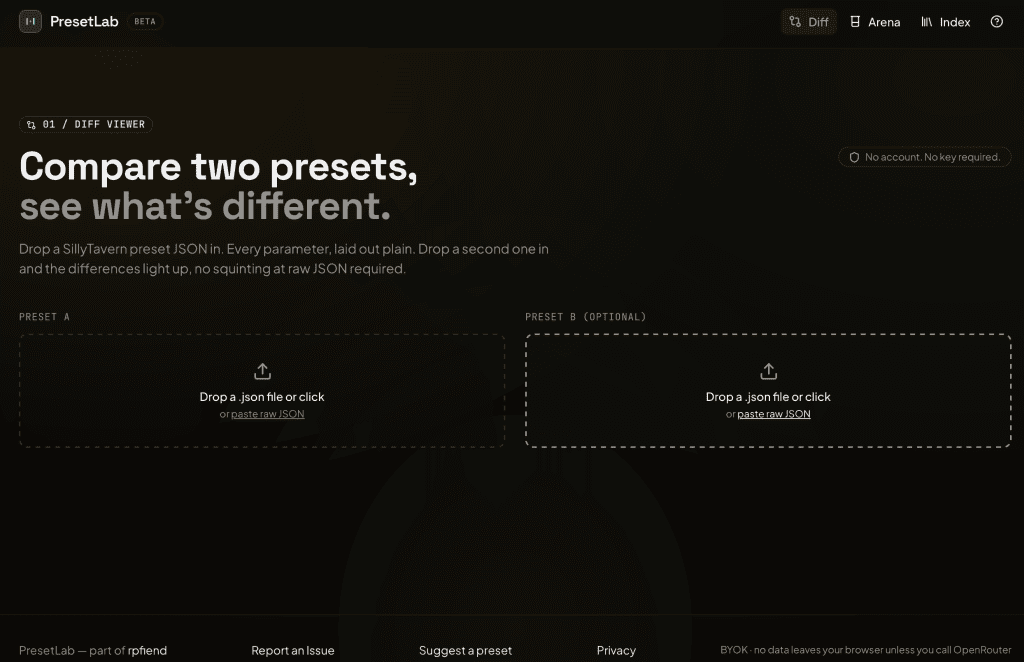
1. The Diff Viewer
Drop one preset JSON. You get a plain-English breakdown of every parameter with labels and ranges a human can read. Drop a second. You get a color-coded side-by-side diff that tells you what’s different vs your initial upload.
You can compare different aspects of each preset. This is a little messy, since almost every preset has different names for different fields, but it allows you to get a decent look without fighting ST or a JSON file. Master presets get broken into collapsible sections so you can poke at each piece individually. No account, no API key. Open the page, drop the file.
2. The Arena
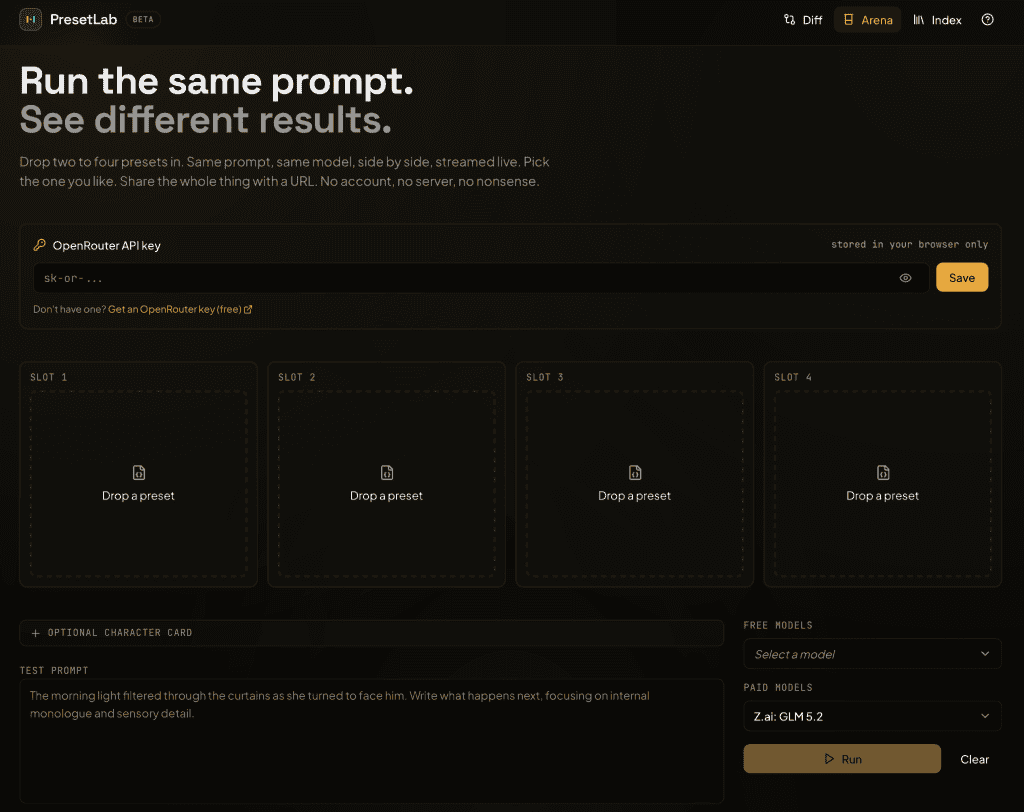
Pick two to four presets. Type a prompt, optionally attach a character card. Fire them off to OpenRouter. Watch all of them stream side by side, in your browser, in real time.
Vote on the winner. The share URL encodes the entire comparison state into the link itself, no backend involved. If your friend clicks the link, they see what you saw, exactly. No link shortener, no KV store. It is a little gross if you look at the URL. It works.
3. The Index
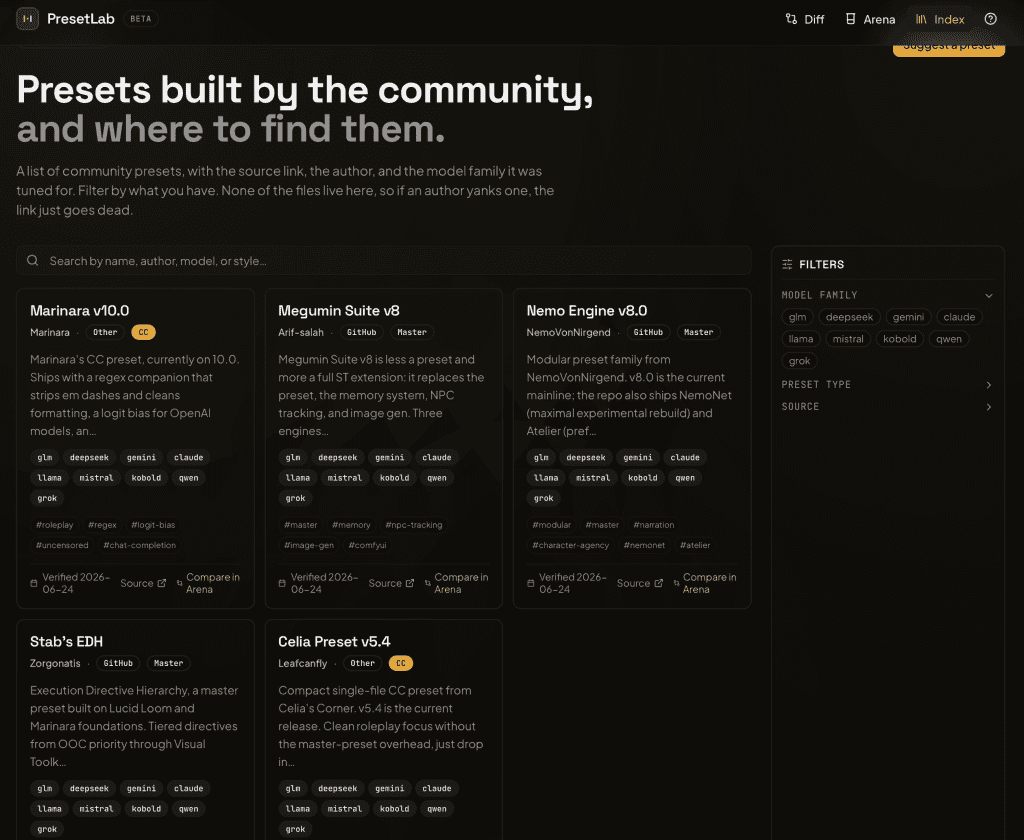
A curated, filterable directory of community presets. Filter by model family (GLM, DeepSeek, Gemini, Claude, the usual suspects), by backend (Text Completion vs Chat Completion), and by RP style. Each entry links to the original source on HuggingFace, rentry, GitHub, or wherever the author published it.
PresetLab does not host preset files. Authors keep the credit and the traffic. You get the latest version. I am not your preset CDN.
Five entries seeded at launch. More added weekly, hand-verified. If you have a preset you want listed, the Index page has a mailto link with a template. I read every submission. Eventually.
Compare in Arena opens the source URL in a new tab, then drops you into the Arena with a small prompt waiting. The Index does not rehost anything, and the Arena expects the actual file, so the handoff is explicit.
The boring stuff…
Your key stays in your browser
OpenRouter key goes into localStorage. The Arena calls OpenRouter straight from your browser. My server never sees the key, the prompt, or the response.
There is also no proxy to rate-limit, no usage to meter server-side. Your machine, your key, your account. Personal and safe, as all things should be.
No backend at all
Static Vite build on Vercel. No database, no auth, no serverless functions. Arena share links encode the entire result state into the URL itself, compressed. If link length ever becomes a problem (and it might, for four-preset comparisons with long prompts), I will add Workers + KV for short links.
No preset hosting
Already covered above, but it bears repeating. The Index links out. The creators who made them deserve credit for their continued, incredible work.
Practical Reasons to use PresetLab
You can potentially stop guessing. You can drop a preset you’re curious about next to your current preset and see exactly what is different. Sometimes it is a single tweak. Sometimes it is a totally different block. SillyTavern preset comparison is unfortunately not intuitive.
You stop re-running. One prompt, four outputs, side by side. Instead of swap, regenerate, swap back, regenerate again, you just do it once. I find this a lot easier because holy s*** do I hate navigating ST’s UI, especially on mobile.
You find presets you missed. I kept discovering presets I had never heard of, buried in random Discord pins or rentry links. A small curated list with sources beats scrolling.
You can share what you find.
How To Use It
- Head to presetlab.rpfiend.com.
- Start with the Diff Viewer. Drop a preset JSON. Read through the breakdown.
- When you are ready for the Arena, get an OpenRouter key from openrouter.ai/keys if you do not already have one. Paste it in once. It saves to localStorage.
- Pick two presets, type a prompt, hit run. Watch them stream.
- Share the URL from the result page.
- The Index is browsable any time, no key required.
Limitations
Master presets work, expect to spend a minute. Some master presets bundle memory, NPC tracking, and image gen on top of sampling. PresetLab parses the JSON correctly, but the Arena runs against the whole master file. Some master presets mix Text Completion and Chat Completion sections; the Arena will ask you to pick one type per run. If you only want to compare the Chat Completion slice of a master, open it in the Diff Viewer first and see what is in there.
No per-preset option toggles in the Arena yet. This is a big one. The preset JSON is the source of truth. To test a variation you edit the file locally and re-upload. Toggles panel is in progress. Yeah, this part sucks.
The Index is small right now. Five entries, more weekly. That’s because I had the mentality of “I have used this preset and I can verify”, but I’ll add more. If you have a preset that you like, Suggestion mailto is on the page (or comment below!)
FAQ
Only for the Arena. Diff Viewer and Index work without one. Key stays in your browser. Server never sees it.
No. Diff Viewer parses locally. Arena sends your prompt to OpenRouter from your browser, using your key. PresetLab is a static Vite build on Vercel. It has no API surface.
Text Completion, Chat Completion, Master Import. All three parsed natively. Master presets get broken into sections in the Diff Viewer.
Slowly. Hand-verified. Suggestion mailto is on the Index page. I read every submission.
Any model on OpenRouter.
Those are general-purpose LLM evaluation tools. PresetLab is built specifically for SillyTavern preset JSONs, with native parsing of TC/CC/Master and sampler parameters that mean something for RP. If you are comparing SillyTavern presets, this is the tool, but if you are evaluating LLM agents for production, use Promptfoo.
If you do not have SillyTavern installed yet, my install guide walks you through it. For character cards to test against, The Grimoire has you covered. Bug reports and preset submissions go through the mailto at the bottom of every page, or the Report an Issue link in the footer of presetlab.rpfiend.com.
Consume. Create. Obsess.
More tools, guides, and rabbit holes at rpfiend.com.
— RP|Fiend
Is PresetLab still live? I’ve checked it a few weeks back and now, but all I get is a blank web page across several browsers. Tried it on a some EU and US proxies without success.
Hey, this is pretty weird and I’m not sure why it’s down. Probably some kind of DNS issue. I picked up a second job so I’ve been a little MIA. I’ll take a look at this. Thank you for letting me know!
Should be up now! Thanks again for bringing this to my attention.